From the project
What Observium tells you before the network gets blamed
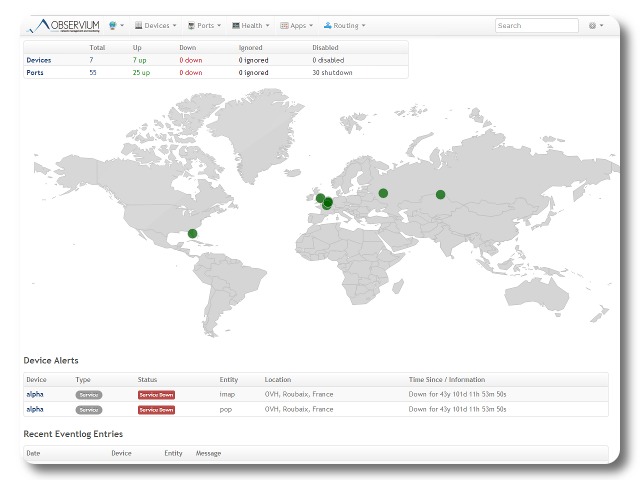
“The network is slow” is not much of a bug report. It could mean a saturated uplink, a dying access point, a backup job, packet loss, a full disk or one laptop doing something unfortunate.
TurnKey Observium gives you history. It polls routers, switches, firewalls, servers and other devices through SNMP, then keeps graphs of traffic, errors, temperatures, storage and the other measurements those devices expose.
That history is often the difference between guessing and fixing.
Start with the path people depend on
Do not add every device on the first afternoon. Begin with the Internet router, the core switch and the server or service that generates the most complaints. Let Observium collect a few normal days.
You are looking for a baseline:
- How busy is the uplink during working hours?
- Are interface errors increasing?
- Does latency change during a backup window?
- Is a server slowly running out of disk space?
- Does a device get hot at the same time each day?
Once you know normal, the odd graph tends to announce itself.
SNMP needs a little care
Use SNMPv3 where the device supports it. It provides authentication and encryption. If an older device only offers SNMPv2c, use a long community string, make it read-only and restrict which host can query it. A community string is a credential, even though the name does its best to sound harmless.
Keep the monitoring server on a management network when you can. It needs broad visibility into infrastructure, which makes it useful to an administrator and interesting to an intruder.
What it does not replace
Observium is very good at device and interface telemetry. It is not a substitute for application logs, transaction checks or a tested alerting plan.
A green switch port does not prove that your shop can complete a checkout. For an important service, combine network monitoring with a small external check that performs the action users care about. Also decide who receives an alert and what they should do with it. An alert sent to an abandoned mailbox is just a slow log file.
The Observium appliance removes the installation work, so you can spend the time on device access and useful coverage. Add devices in layers. Keep notes on what each graph is supposed to tell you. When the next vague complaint arrives, open the timeline before rebooting everything.