Forum archive
TKLPatch for Alfresco 3.3g Community Edition
Hi all! I finally finished my Alfresco TKLPatch. Please try it and give some feedback. It's to be applied to the turnkey-core-beta-lucid-x86 image. I hope you enjoy it.
Features:
Alfresco Community Edition 3.3g (Alfresco/Share)
Both http and https access.
Port 80->8080 and 443->8443 redirection (For a cleaner url)
CIFS Access. (You can access the Alfresco repo as a shared drive)
FTP Access. (You can access the Alfresco repo via ftp client)
Postfix MTA (To send invitations and other emails)
Document Preview configured in Share.
Separte log for alfresco in /var/log/tomcat6/alfresco.log
What it does:
1) Activate the partner repository. This is because swftools package is in the partner repository. swftools is a suite of script that Alfresco uses to make transformations from pdf to swf for document previews.
echo deb http://archive.canonical.com/ lucid partner >> /etc/apt/sources.list.d/sources.list
2) Update packages information
apt-get update
3) Install required packages. Note that this stack is using openjdk. I'm not a big fan of it, but as it was certified to run with openjdk, I changed from the sun-jdk to this one. OpenOffice is installed to do document transformations (from doc, xls, ppt to pdf). Imagemagick is for images transformations.
apt-get install openjdk-6-jdk tomcat6 mysql-server libmysql-java openoffice.org-core openoffice.org-java-common imagemagick swftools postfix openoffice.org-impress openoffice.org-calc openoffice.org-writer
4) Tune jvm memory settings. This is based on recommendations in the Alfresco Installer Guide pdf. Settings are tuned for a 768MB VM, which I think it should be the minimum memory for this app, which is memory heavy. I'm also setting the MySQL Hibernate Dialect as a jvm param.
echo JAVA_HOME="/usr/lib/jvm/java-6-openjdk/" >> /etc/environment
source /etc/environment
echo JAVA_OPTS=\"\${JAVA_OPTS} -Xms512m -Xmx512m\" >> /etc/default/tomcat6
echo JAVA_OPTS=\"\${JAVA_OPTS} -XX:MaxPermSize=128M\" >> /etc/default/tomcat6
echo JAVA_OPTS=\"\${JAVA_OPTS} -Dhibernate.dialect=org.hibernate.dialect.MySQLInnoDBDialect\" >> /etc/default/tomcat6
5) Create directory (/opt/alfresco/) and download Alfresco wars.
mkdir -p /opt/alfresco && cd /opt/alfresco
wget -O alfresco-community-war-3.3g.tar.gz http://dl.alfresco.com/release/community/build-2860/alfresco-community-war-3.3g.tar.gz?dl_file=release/community/build-2860/alfresco-community-war-3.3g.tar.gz
6) Untar wars and delete deleted tar.gz to save space.
tar xf alfresco-community-war-3.3g.tar.gz
rm alfresco-community-war-3.3g.tar.gz
7) Create Alfresco database:
mysql -u root < /opt/alfresco/extras/databases/mysql/db_setup.sql
8) Create Alfresco repository directory
mkdir -p /srv/alfresco/alf_data
9) Set symlinks to wars and mysql jar. The first two symlinks makes tomcat deploy both alfresco and share wars on startup. The last symlink is to add the mysql java connector to the classpath of tomcat.
ln -s /opt/alfresco/alfresco.war /var/lib/tomcat6/webapps/
ln -s /opt/alfresco/share.war /var/lib/tomcat6/webapps/
ln -s /usr/share/java/mysql-connector-java.jar /var/lib/tomcat6/shared/
10) Set hostname to alfresco.
HOSTNAME=alfresco
echo "$HOSTNAME" > /etc/hostname
sed -i "s|127.0.1.1 \(.*\)|127.0.1.1 $HOSTNAME|" /etc/hosts
11) Setup initial configurations and required permissions, so that tomcat can read and write files from the repository directory and the additional config files. The alfresco-global.properties file is overlayed on /var/lib/tomcat6/shared/classes/ with the following changes:
dir.root=/srv/alfresco/alf_data   (To point to the created directory)
ooo.exe=/usr/bin/soffice        (pointing to openoffice)
ooo.enabled=true
img.root=/usr/bin             (activating imagemagick)
img.exe=/usr/bin/convert
swf.exe=/usr/bin/pdf2swf    (activating swftools)
mail.host=localhost       (activating outbound mail)
mail.port=25
mail.smtp.auth=false
cifs.enabled=true         (CIFS settings)
cifs.serverName=alfresco
cifs.tcpipSMB.port=1445
cifs.netBIOSSMB.namePort=1137
cifs.netBIOSSMB.datagramPort=1138
cifs.netBIOSSMB.sessionPort=1139
ftp.enabled=true   (FTP Settings)
ftp.port=2121
Note the ports: as only root user can bind to ports under 1024, the ports have been configured over that value and are being redirected using iptables as recommended on the Alfresco Wiki (see http://wiki.alfresco.com/wiki/File_Server_Subsystem#Running_SMB.2FCIFS_f... for more info). More info in the next step. Also added 21 port redirection to 2121 and 80->8080 and 443->8443 on the iptables rules as a bonus to easy access.
12) Setup logging (to have a nice individual log for alfresco). This file is overlayed by the patch.
nano /var/lib/tomcat6/shared/classes/alfresco/extension/custom-log4j.properties
log4j.rootLogger=error, File
log4j.appender.File=org.apache.log4j.DailyRollingFileAppender
log4j.appender.File.File=/var/log/tomcat6/alfresco.log
log4j.appender.File.Append=true
log4j.appender.File.DatePattern='.'yyyy-MM-dd
log4j.appender.File.layout=org.apache.log4j.PatternLayout
log4j.appender.File.layout.ConversionPattern=%d{ABSOLUTE} %-5p [%c] %m%n
13) Activate iptables for port redirections. Applied the nat redirection rules as explained in Alfresco Wiki. Then saved them to /etc/iptables.rules and created a script to reload them on boot. This files are overlayed by the patch (/etc/iptables.rules and /etc/network/if-pre-up.d/iptablesload)
echo 1 > /proc/sys/net/ipv4/ip_forward
modprobe iptable_nat
iptables -F
iptables -t nat -F
iptables -P INPUT ACCEPT
iptables -P FORWARD ACCEPT
iptables -P OUTPUT ACCEPT
iptables -t nat -A PREROUTING -p tcp --dport 80 -j REDIRECT --to-port 8080
iptables -t nat -A PREROUTING -p tcp --dport 443 -j REDIRECT --to-port 8443
iptables -t nat -A PREROUTING -p tcp --dport 445 -j REDIRECT --to-ports 1445
iptables -t nat -A PREROUTING -p tcp --dport 139 -j REDIRECT --to-ports 1139
iptables -t nat -A PREROUTING -p udp --dport 137 -j REDIRECT --to-ports 1137
iptables -t nat -A PREROUTING -p udp --dport 138 -j REDIRECT --to-ports 1138
iptables -t nat -A PREROUTING -p tcp --dport 21 -j REDIRECT --to-ports 2121
iptables-save > /etc/iptables.rules

nano /etc/network/if-pre-up.d/iptablesload
#!/bin/sh
iptables-restore < /etc/iptables.rules
exit 0

chmod +x /etc/network/if-pre-up.d/iptablesload
14) Enable Apache SSL access: Following apache tomcat documentation (see http://tomcat.apache.org/tomcat-6.0-doc/ssl-howto.html), created the key and modified the /etc/tomcat6/server.xml file to use the key. This config is overlayed by the patch (.keystore and server.xml files).
cd /var/lib/tomcat6/
/usr/lib/jvm/java-6-openjdk/bin/keytool -genkey -alias tomcat -keyalg RSA
Enter keystore password:
Re-enter new password:
What is your first and last name?
  [Unknown]:
What is the name of your organizational unit?
  [Unknown]:  Turnkey
What is the name of your organization?
  [Unknown]:
What is the name of your City or Locality?
  [Unknown]:
What is the name of your State or Province?
  [Unknown]:
What is the two-letter country code for this unit?
  [Unknown]:
Is CN=Unknown, OU=Turnkey, O=Unknown, L=Unknown, ST=Unknown, C=Unknown correct?
  [no]:  yes
Enter key password for <tomcat>
(RETURN if same as keystore password):

nano /etc/tomcat6/server.xml

   <Connector port="8443" protocol="HTTP/1.1" SSLEnabled="true"
               maxThreads="150" scheme="https" secure="true"
               keystoreFile=".keystore" keystorePass="changeit"
               clientAuth="false" sslProtocol="TLS" />
15) Applied required permissions so that tomcat behaves like a pony.
chown -R tomcat6:tomcat6 /var/lib/tomcat6 /srv/alfresco
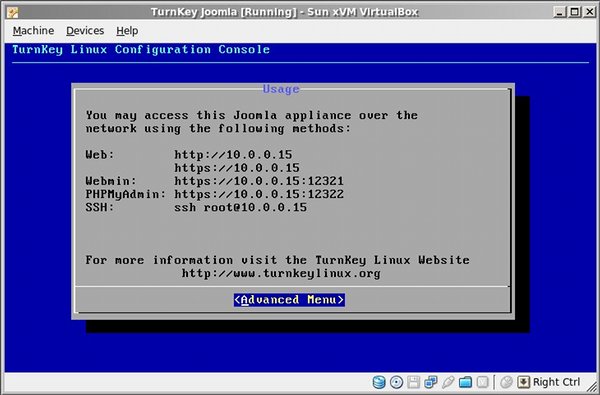
16) Overlayed a nice usage.txt for confconsole.
That's all folks!
Known Issues:
- Message No root 'Web Projects' folder exists (is WCM enabled ?) in logs: see http://issues.alfresco.com/jira/browse/ALF-3085
- The site name is not substituted in share invitation mails: "Invitation to join {0} site". An alfresco bug. See discussion under http://issues.alfresco.com/jira/browse/ALF-959
- Alfreso url in DesktopActions and Alfreso.url points to http://alfresco. I didn't find a way that alfresco pick up the configuration files settings pointing to the ip. It seems like a bug, and I was recommended to open an Issue. See http://forums.alfresco.com/en/viewtopic.php?f=9&t=28340 for more info.
Please make your tests and be free to post here any new issues arising.

I'm unable to help you get started without some more info (e.g., /var/log/apache2/alfresco.log and /var/log/apache2/catalina.out)?
I must warn you Alfresco takes a lot of time to start, as Alfresco is a heavy app. Also, its very important the memory, this TKLPatch is memory-optimized for 768MB. How much memory did you assign to the VM? Less memory than that would result in memory allocation errors and Alfresco won't start.