Forum archive
SSL error after installation
Hi guys,
I am trying to setup 2 nextcloud embedded in containers. The host being proxmox. All the thing is hosted in a private server in OVH.
I am very new to networking and unix administration (I have though a little knowledge of some commands as a former developper).
I have set up a container with turnkey-nextcloud and initiate the installation process with turnkey-init.
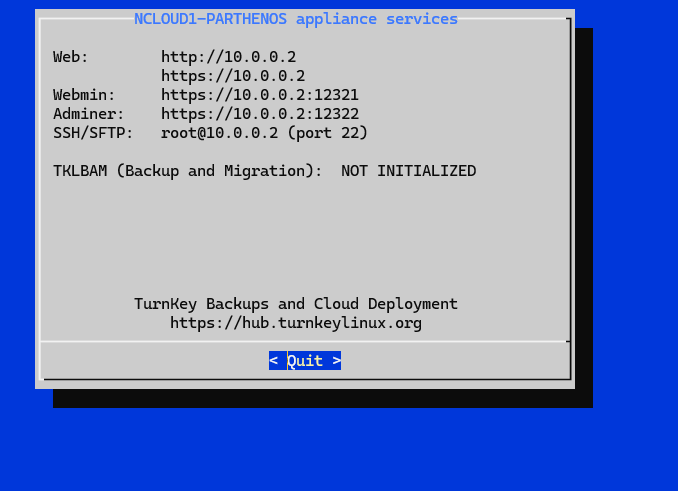
When I try to reach the login page with curl I have this:
curl https://10.0.0.2
curl: (60) SSL: no alternative certificate subject name matches target host name '10.0.0.2'
More details here: https://curl.se/docs/sslcerts.html

curl failed to verify the legitimacy of the server and therefore could not
establish a secure connection to it. To learn more about this situation and
how to fix it, please visit the web page mentioned above.
when I try with the full domain name I have this:
curl https://ncloud1.domain.fr:443
curl: (35) OpenSSL/3.0.11: error:0A00010B:SSL routines::wrong version number
Any help would be appreciated. Is there a tutorial about setting up the SSL ?
Thank you,
Sophie
more details : I have tried to get a certificate using conf console and validating the domain by using the dns provider. but I get the error :
/usr/bin/turnkey-lexicon: line 78: 74712 Illegal │
│ instruction "$VENV_BASE/lexicon/bin/lexicon" │
│ $(printf '%q ' "$@")
thx in advance