

Ready-to-use server
Redis
Open Source, In-memory Data Structure Store
- Automatic security updatesDebian support through June 2030
- You're in controlRun on your hardware or in the cloud.
- Free and open sourceUse, inspect and customize the code.
Your server. Your choice.
Run Redis on AWS
Choose where you want to manage it.
Via TurnKey Hub
The smoothest way to run a TurnKey server.
- Connect your AWS account securelyLink it to the Hub using an AWS IAM role.
- HTTPS ready from the startTrusted certificates for your web and admin interfaces, set up and renewed automatically.
- Manage everything in one placeA focused dashboard for your TurnKey servers, backups and domains.
Sign in using the SSH key or passwords you set on the Hub launch page.
Via AWS Marketplace
Keep server management inside AWS.
- Launch from your AWS accountSubscribe to the listing and choose your instance.
- Manage directly in AWSControl your instance in AWS. Configure trusted HTTPS certificates after launch.
- Get TurnKey services includedStandard support, backup and migration, with software charges on your AWS bill.
SSH in as admin ↗ with your EC2 key. Setup starts automatically.
Redis screenshots
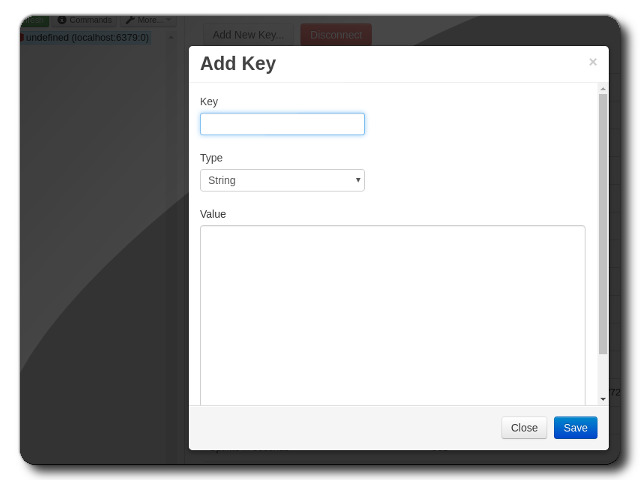
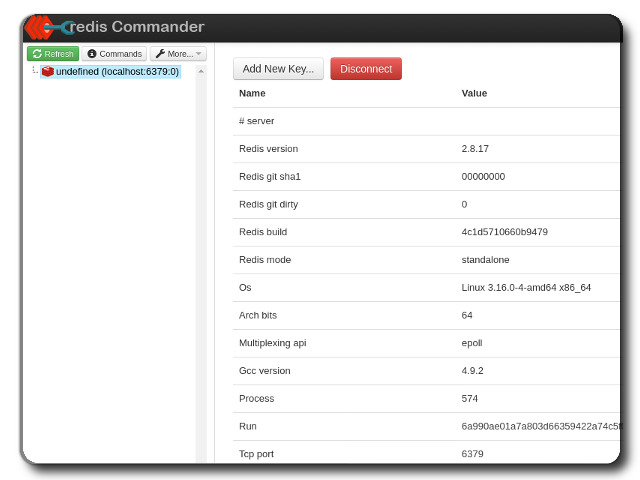
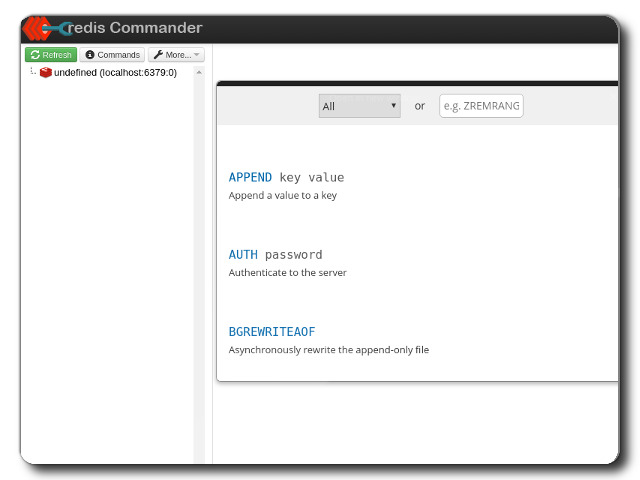
Redis is an in-memory database, cache and message broker. It supports strings, hashes, lists, sets, sorted sets, streams and other data structures. Redis also provides replication, scripting, transactions, on-disk persistence, high availability through Redis Sentinel and partitioning through Redis Cluster. Sentinel requires the optional Debian redis-sentinel package.
This server includes all the standard features in TurnKey Core, and on top of that:
Redis configuration:
Redis Server and its command-line tools come from Debian Trixie and use normal APT security updates.
First boot generates a strong Redis password. View it from Confconsole or run turnkey-redis-pw get as root.
First boot lets you keep Redis on localhost, bind all interfaces or enter a local address. Remote deployments should restrict TCP port 6379 to trusted clients with the firewall.
Debian's default RDB persistence remains enabled.
Includes the Redis Commander browser interface at https://<appliance>/redis-commander/.
HTTPS protects the landing page and Redis Commander management interface.
Postfix MTA (bound to localhost) to allow sending of email from web applications.
Supervised Redis Commander update
Always ensure that you have a current and tested backup before performing an upgrade. Test the update on a development server before updating production.:
su - node -c "cd /opt/tklweb-cp && npm install redis-commander@latest"
systemctl restart pm2-node
The npm lock file records registry integrity hashes. Redis Server itself is updated through APT.
Credentials (passwords set at first boot)
Webmin, SSH: username root
Redis Commander: username admin
Run from browser
V 19.0
V 18.0
GitHub
Usage details & Logging in for Administration
No default passwords: For security reasons there are no default passwords. All passwords are set at system initialization time.
Ignore SSL browser warning: browsers don't like self-signed SSL certificates, but this is the only kind that can be generated automatically. If you have a domain configured, then via Confconsole Advanced menu, you can generate free Let's Encypt SSL/TLS certificates.
Web - point your browser at either:
- http://12.34.56.789/ - not encrypted so no browser warning
- https://12.34.56.789/ - encrypted with self-signed SSL certificate
Note: some servers redirect HTTP to HTTPS automatically.
Username for redis-commander:
Login as username admin
Username for OS system administration:
Login as root except on AWS marketplace which uses username admin.
- Point your browser to:
- https://12.34.56.789:12321/ - System control panel
- https://12.34.56.789:12320/ - Web based command line terminal
- Login with SSH client:
ssh root@12.34.56.789
Special case for AWS marketplace:
ssh admin@12.34.56.789
* Replace 12.34.56.789 with a valid IP or hostname.