
Ready-to-use server
OpenLDAP
Open Source Directory Services
- Debian based
- Automatic security updates
- Free and open source
OpenLDAP screenshots
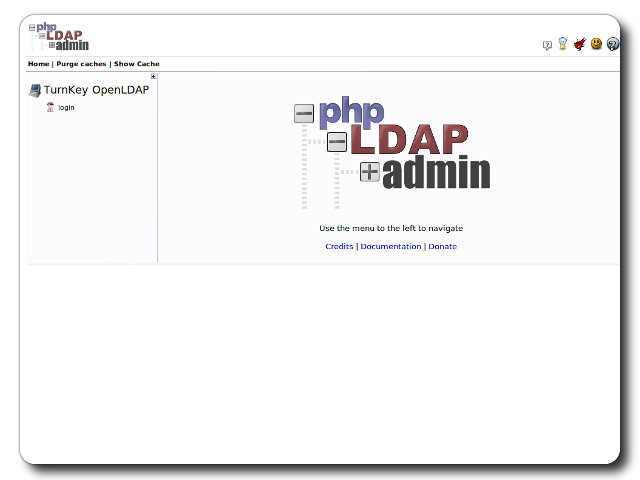
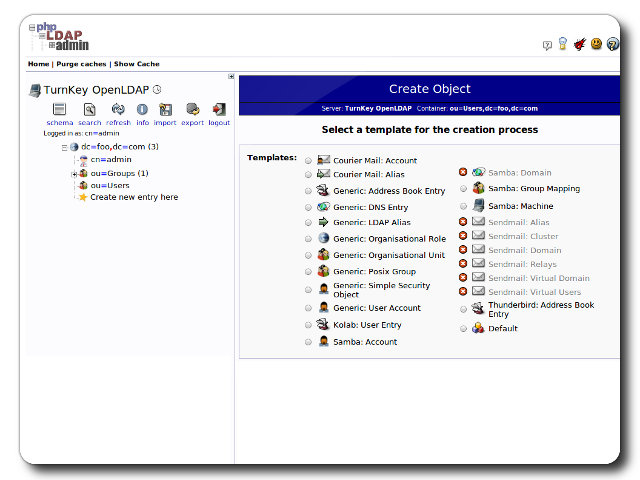

OpenLDAP is an open source implementation of the Lightweight Directory Access Protocol (LDAP) developed by the OpenLDAP Project, a collaborative effort to develop a robust, commercial-grade, fully featured, and open source LDAP suite of applications and development tools.
This appliance includes all the standard features in TurnKey Core, and on top of that:
OpenLDAP configurations:
OpenLDAP and its client utilities installed and maintained through Debian's package management system.
LDAP domain and administrator password configured at first boot.
TLS support for LDAPS out of the box. The generated CA certificate is available at /etc/ldap/tls/ca_cert.pem and certificates can be regenerated with turnkey-regen-ldap-certs.
Users and Groups organizational units plus a default users POSIX group.
phpLDAPadmin installed from Debian and served over TLS for web-based LDAP administration.
Webmin LDAP server module.
See the OpenLDAP docs for further details.
Credentials (passwords set at first boot)
Webmin, SSH: username root
OpenLDAP and phpLDAPadmin: administrator DN cn=admin,dc=example,dc=com for the default domain example.com
Run from browser
V 19.0
V 18.1
GitHub
Usage details & Logging in for Administration
- OpenLDAP: default domain example.com
No default passwords: For security reasons there are no default passwords. All passwords are set at system initialization time.
Ignore SSL browser warning: browsers don't like self-signed SSL certificates, but this is the only kind that can be generated automatically. If you have a domain configured, then via Confconsole Advanced menu, you can generate free Let's Encypt SSL/TLS certificates.
Web - point your browser at either:
- http://12.34.56.789/ - not encrypted so no browser warning
- https://12.34.56.789/ - encrypted with self-signed SSL certificate
Note: some appliances auto direct http to https.
Username for database administration:
- Adminer; login as MySQL username adminer:
https://12.34.56.789:12322/ - Adminer database management web app
- MySQL command line tool; log in as root (no password required):
$ mysql --user root
Welcome to the MySQL monitor.  Commands end with ; or \g.
Type 'help;' or '\h' for help. Type '\c' to clear the current input statement.

mysql>
Username for OS system administration:
Login as root except on AWS marketplace which uses username admin.
- Point your browser to:
- https://12.34.56.789:12321/ - System control panel
- https://12.34.56.789:12320/ - Web based command line terminal
- Login with SSH client:
ssh root@12.34.56.789
Special case for AWS marketplace:
ssh admin@12.34.56.789
* Replace 12.34.56.789 with a valid IP or hostname.
Documentation
Information related to OpenLDAP and the TurnKey Linux OpenLDAP appliance.
MemberOf config for OpenLDAP
These resources have been tested and confirmed working on v14.2 TurnKey OpenLDAP appliance. Hopefully it remains relevant to v15.x/v16.x as well.
OpenLDAP official docs:
Reverse Group Membership Maintenance
Maarten De Paepe's blog:
How to enable MemberOf using OpenLDAP
OpenLDAP integration with other appliances
[undated - unsure if still relevant?!]
Note: settings in red must be changed according to your setup.
- OpenLDAP
- Log into phpLDAPadmin as administrative user
- Create new user account (PosixAccount) in Users OU
- Add mail attribute to new account
- Redmine
- Log into Redmine as administrative user
- Click administration -> LDAP authentication
- Click new authentication mode
- Name: TurnKey OpenLDAP
- Host: ldap.turnkeylinux.org
- Port: 389 (LDAPS not checked) || 636 (LDAPS checked)
- Base DN: ou=Users,dc=turnkeylinux,dc=org
- On the fly user creation: (checked)
- Login: uid
- First name: givenName
- Last name: sn
- Email: mail
- Click save
- Click test
- Logout
- Log in as the user created in OpenLDAP
- Smile...