I did a manual install of Wordpress. (I know there is a pre-built VM for TKL Wordpress but I don't see any reason why I can't run WP on the basic LAMP VM. Plus, WP wasn't my original plan for this development server anyway)
I want to install the ProFTPD module in Webmin, so, I logged into Webmin, selected Webmin > Webmin Configuration > Webmin Modules. Next, I selected the option "Standard module from www.webmin.com" then selected ProFTPD from the list.
I couldn't be any newer to this - but I thought I'd use the Django appliance to learn django. However I've fallen at the first hurdle (perhaps not even that far) as I'm tryign to folloe the django tutorials but can't execute django-admin.py as "command not found".
Created a new server from a snapshot of an existing (thanks for the quick fix!), but have now hit another problem. I haven't changed anything on the new server, no apt-get anything, and now receive a nasty error (provided below) when trying to initiate a backup. Any ideas for this one?
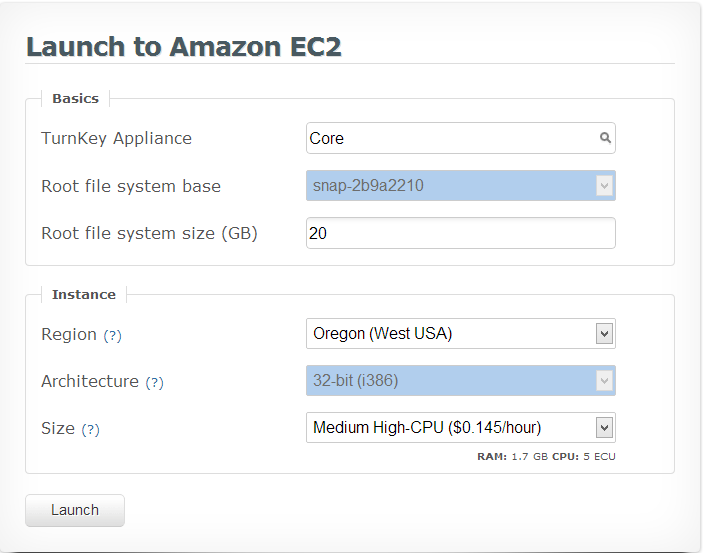
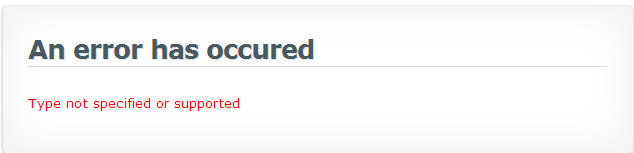
When I attempt to clone a new server from a snapshot (clicking "Clone..." from server dashboard, then click "Launch") I get the error message, "Amazon error [appears in tab] Type not specified or supported". The type chosen by default was Micro, but I have also tried this operation while changing the type to "Smalll" and "Medium- High CPU", and the operation has also failed.
When I go to the Manage Snapshots display and choose Launch a new cloud server for a recent snapshot (or a snapshot I've just created manually), I get the same error message.
I am in need of centralized authentication in my office network and after having great success with a variety of TurkKey appliances, selected your PDC drop in replacement.
My only issue is with the apparent lack of syncronization with a backup domain controller. I can't afford to have my users denied access to their resources in the event the PDC fails. I know I can't be the only person to forsee this problem and I suspect someone out there has a reasonable solution.
I tried to stop my instance from the webshell, it shuts down but my server dashboard / Turnkey hub shows that the instance is still running although it cannot be accessed anymore.
I also tried to stop it from webmin using cronjob. It shuts down but the server dashboard / Turnkey hub still shows that it is running although my instance is not accessible anymore. So I have to stop my instance from the dashboard.