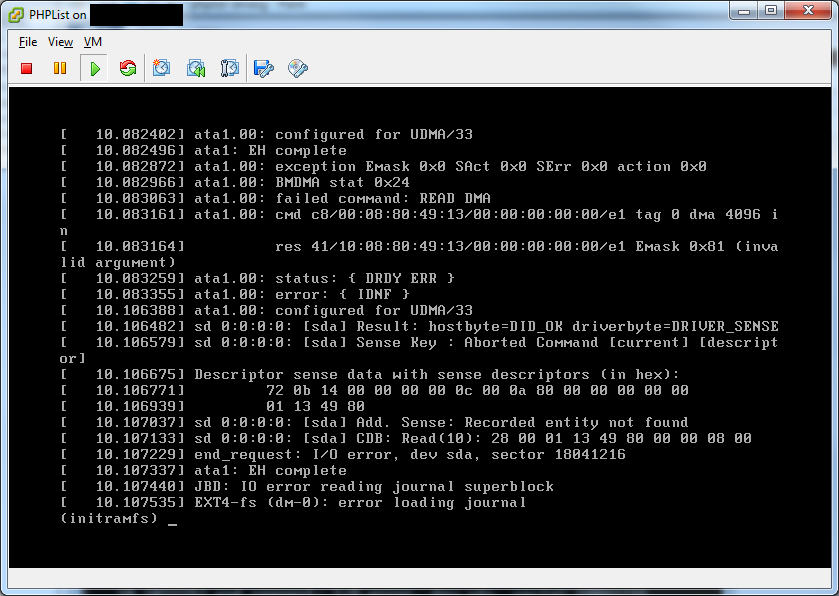
I have deployed the File Server appliance on an eSXI server. During the setup process I provisioned the VMWare Disk file to be 1.8 TB per below. TK File Server only thinks that there is a 16.73 GB partition, in spite of the fact that I expanded the LVM to take up the whole .vmdk. I used a GParted Live CD to expand the default partition on TK File Server; however, in spite of the File Server's partition module recongizing the full 1.8 TB, the mount details still show the default size.
What do I need to do to see the entire sda2 partition?
What's the best practice to backup and upgrade a redmine appliance on super-v server? I shut down the appliance and make a copy of the server. However I can't bring up the backup copy. There are quite some errors popped up. What's the best practice to backup and upgrade? How can I make a exact copy of the applicance and fire it up?
I just finished setting up a LAMP appliance and launched it to a EC2 micro instance everything seems to be running ok except for the vhost for my PHP application.
In the hub I setup the hostname to mcarpentier.tklapp.com and I setup my vhost as such:
I see there is a Xen image available for download. Was wondering how to use this on Oracle's VM server product which is based on Xen. Does anyone have a clue? Thanks in advance.
I am wondering if there is a log file showing all files that were used to create the latest backup?
I added a 200MB zipped file to the server last night but I only see a 90MB incrimental backup through Amazon today. I would just like to confirm the new files are there without having to restore the entire backup.
The root of my concern is due to the commands I entered into the /etc/tklbam/overrides file which were
I had successfully tested vtiger turnkey linux in the local enviornment and used gmail server as outgoing server. It is working perfectly in local lan setup
I created hub account ... migrated turnkey to vtiger hub ( from local to Amazon )
Hi, we have set up a joomla 2.5 page for school using Turnkey joomla server package, fantastic peice for software and everything working well apart from the twitter feed. We have since found other aspects of the server not working and we assume it's because it has no internet connection, i have since worked on the linux part of the server thinking if it connected to the internet ok it would be all good, however this is not the case.
can I somehow make webmin accessible through domain name, and not through IP.
I can access it normally through IP. I tried making a virtual host that points to /var/webmin but it gave me 403. Then I tried to make a symlink /var/www/webmin -> /var/webmin and pointed the virtual host to /var/www/webmin but I got the 403 again when trying to access webmin through a domain name.
Is there a way to make this work or did I figure it all wrong?