I have been using the Wordress appliance for a few years with great success. I would now like to streamline my setup a bit. I currently lease a static IP from my ISP for each of my Wordpress sites and forward them to their respective appliance via a router. I would like to cut back on my IP leases to save some money.
Is there a step-by-step tutorial for how to pull a working copy of an appliance to a local computer running a VM? So much of this is new to me and I really need the detailed version. I've got vTiger running on Amazon and would like to bring a copy of it, data and configuration, onto my laptop.
I did a manual install of Wordpress. (I know there is a pre-built VM for TKL Wordpress but I don't see any reason why I can't run WP on the basic LAMP VM. Plus, WP wasn't my original plan for this development server anyway)
I want to install the ProFTPD module in Webmin, so, I logged into Webmin, selected Webmin > Webmin Configuration > Webmin Modules. Next, I selected the option "Standard module from www.webmin.com" then selected ProFTPD from the list.
I couldn't be any newer to this - but I thought I'd use the Django appliance to learn django. However I've fallen at the first hurdle (perhaps not even that far) as I'm tryign to folloe the django tutorials but can't execute django-admin.py as "command not found".
Created a new server from a snapshot of an existing (thanks for the quick fix!), but have now hit another problem. I haven't changed anything on the new server, no apt-get anything, and now receive a nasty error (provided below) when trying to initiate a backup. Any ideas for this one?
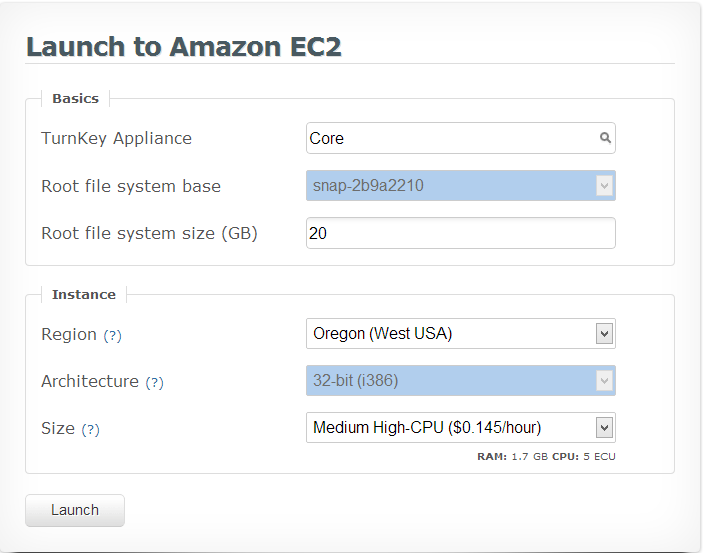
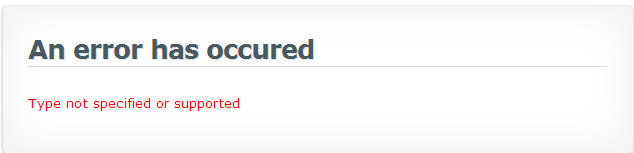
When I attempt to clone a new server from a snapshot (clicking "Clone..." from server dashboard, then click "Launch") I get the error message, "Amazon error [appears in tab] Type not specified or supported". The type chosen by default was Micro, but I have also tried this operation while changing the type to "Smalll" and "Medium- High CPU", and the operation has also failed.
When I go to the Manage Snapshots display and choose Launch a new cloud server for a recent snapshot (or a snapshot I've just created manually), I get the same error message.