When trying to clone a server from a snapshot I get the following instructions:
Snapshot launch: manual action required
/usr/lib/inithooks/firstboot.d/25ec2-userdata
However I cannot login to the server to execute the script. I have tried SSH using the public IP address, as well as from another instance using the Private IP address. I can ping the Private IP address.
Any idea how to proceed in recovering from a snapshot?
While I'm not new to the world of design I am a complete newb when it comes to servers. I've been looking for in depth tutorials for setting up my own webserver but have managed to find anything that is concise with step by step details.
While trying to clone the server we are getting the ""Database connection Error"" where the live website is working fine.
root@wordpress www/wordpress# mysql -u wordpress -p
Enter password:
ERROR 2002 (HY000): Can't connect to local MySQL server through socket '/var/run/mysqld/mysqld.sock' (2)
Which we managed to fix by creating the socket files.
But facing the below issue now:
root@wordpress ~# mysql -u root -p
Enter password:
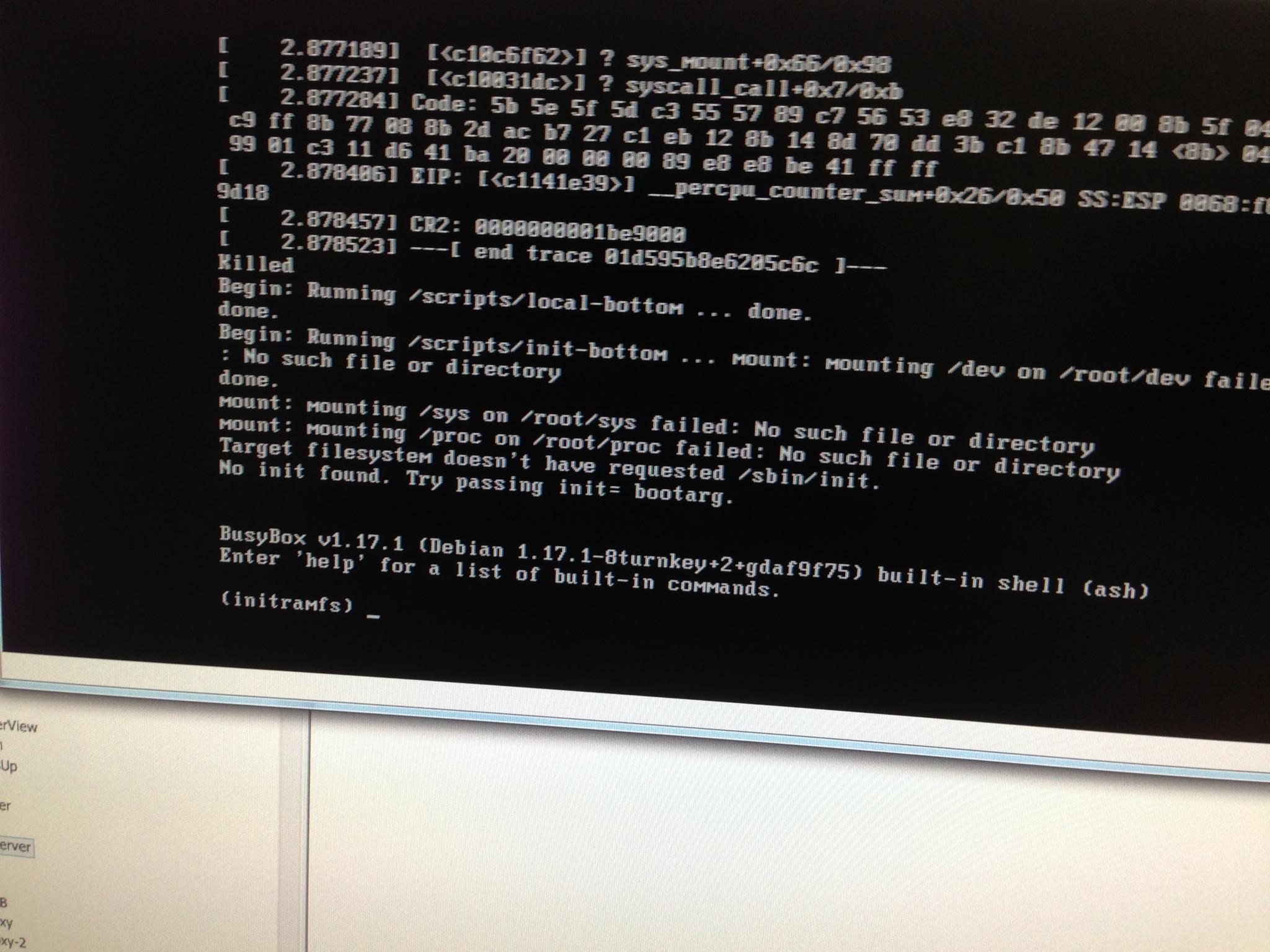
Our TKL LAMP VM lost power, and when the server booted up, it came up a initramfs prompt. We've tried to reboot it a couple times since then, and it's the same result. How can I bring it back up like it used to?
I have tried to add Webmin Modules to an existing TurnKey Linux VM. When I go through the add Module menu item it takes me to the current repository, which I is 1.63. My version is 1.59 and these modules do not work.
I have been able to add modules by downloading the entire 1.59 Build and tar and gzipping the required files and renaming it with the appropriate extension.
Are these files maintained somewhere?
Will the new 12.1 release be able to use the 1.63 Modules? I believe you are using 1.61.