At my company we have been using Turnkey File Server for about 2 years now with not a single issue. It has been flawless. We have Webmin 1.630 on fileserver (Debian Linux 7) bound to a Win Server 2003 AD. For some reason (which I cannot figure out) a few random uses suddenly cannot access it. It is definitely a user issue and not their individual computer issue. I was able to connect to our shared drive using my own login on their computer but anytime I try to use their credentials I keep receiving a win login prompt asking for password.
Recently, after logging in to the command line, I got a message saying I have new mail. A few minutes with Google, and I entered in "cat /var/spool/mail/root" and I was reading notifications I thought would be important to know. How can I get these sent to my email address?
I have owncloud running fine on my Raspberry Pi but I am trying to mount a network NAS to use as the data directory for owncloud but I am having issues with SMB and NFS. Can anyone please enlight me. I have follow many guides but I think I am a little confused about the users needing to be the same on both devices.
Since there is a critical Ruby on Rails vulnerability in Redmine 2.2.3, shouldn't the official Redmine app be updated to the current stable version of Redmine?
The default page when i browse the public ip of my instance mentions :
"With a password: For security reasons the root password is initially set to a random value. To find the initial random root password, right click the instance in the AWS Management console, select "Get System Log":"
Where I can trace the password in the log ?
I see no variable or part mentioned as "password".
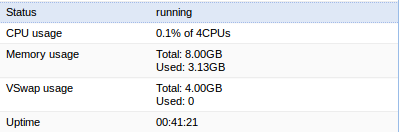
I installed the GitLab 13.0 ISO to a Proxmox-VE virtual machine. I then rebooted and went through all of the turnkey-init configurations, including the initial package updating and rebooted. No other changes have been made. When I try to use a browser to open <host ip addr>, I get back "502 Bad Gateway". I have googled around, but have not found anything to help. <host ip addr>:12321 opens and works properly.