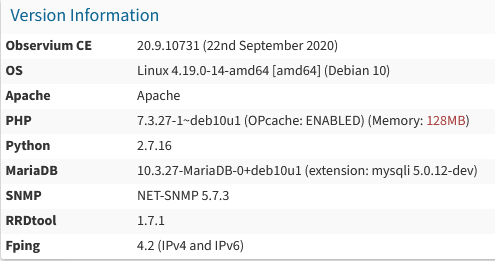
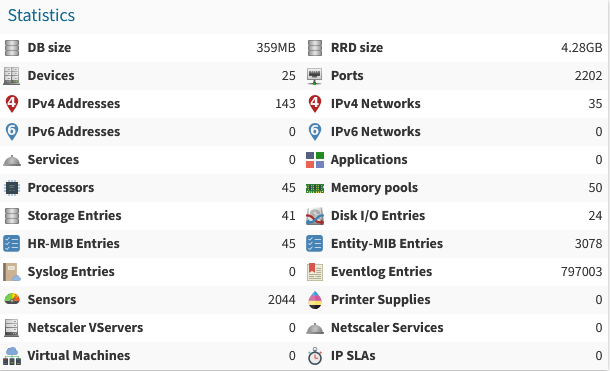
It is owesome, I added a lot of devices but unfortunatly it crashes every night and show the error DB Error 2002: Connection refused when I go the observium web page. The log at the end might be the most relevant information I have to give but here is what I tried and thinked about :
I spun up a Proxmox 6.3.1 server and installed TurnKey 16 File Server in a LXC container. After updating the container (apt update/upgrade) the web interface is working except for the WebDav CGI login. I get the login page but when I try to login with the root user it fails. Is there a seperate user for WebDav CGI login that I have to setup?
I did a regular ol' update on my TK server yesterday through Cockpit like I normally do and now the server won't boot. I can't remember what my base image is, but I downloaded the boot-repair-disk and tried that out, but I'm not having any luck with it. When I updated the server and rebooted it, it came up to the grub prompt. After several attempts of running the boot-repair-disk, I'm currently at the grub repair prompt.
I have recently come across TKL with my quest to migrate from unRAID to Proxmox, and the work you guys do is fantastic!
However, I have recently come across a small problem. Since initially spinning up the file-server contianer and shutting down the server for the week, it has now lost its networking. I can not ping the host or the gateway, but I can ping other TKL containers.
I am currently trying to set up the Turnkey Fileserver as an LXC on my Proxmox host on my local network. Turnkey and some of my other services prefer SSL but I don't want to expose them to the internet so I configured Caddy to assign certs using a DNS challenge with the Cloudflare plugin (my DNS provider). I serve multiple services from this one Proxmox host so this configuration allows me to assign arbitrary subdomains with SSL support like: