Hello to everyone and thanks to Turnkey for their appliances.
We have a strange problem regarding automatic snapshot schedule in Turnkey Hub: it seems that some schedules are not working at all. For example on an specific instance we have hourly and daily snapshot with different retention but only hourly snapshots are created (and deleted) following the schedule; no daily snapshot is being created and listed.
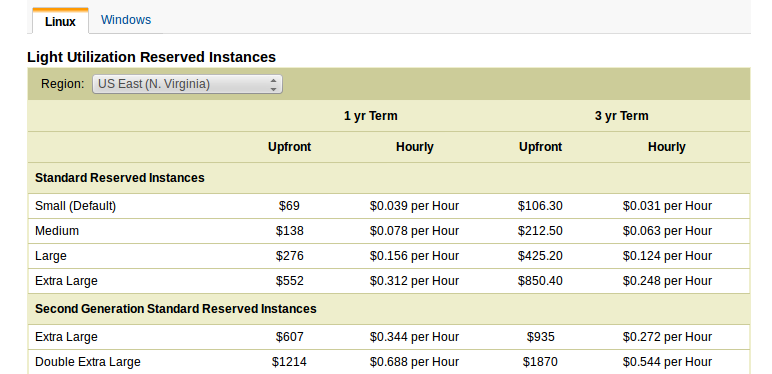
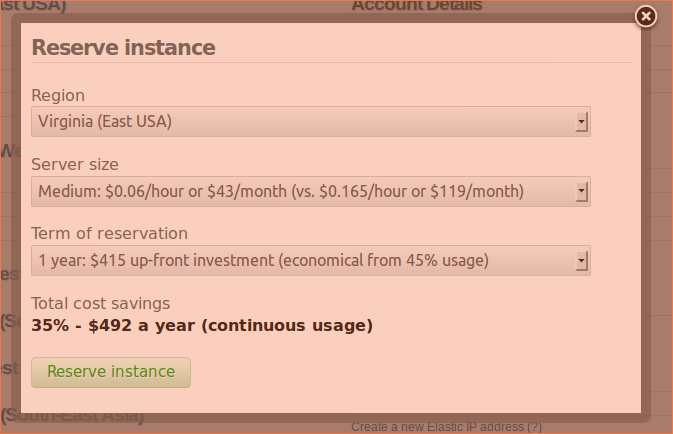
I'm new to AWS and Turnkey, and I was hoping to get a little clarification on the pricing. I'm trying to switch to the Budget plan for $20/month + 0% usage fees. However, it looks like the cost of a small instance on this plan will be 8.5 cents/hour (Virginia region). Amazon advertises the cost of this to be 6 cents/hour, so I'm trying to figure out where the extra 2.5 cents/hour comes from, or what it is for, since there are no usage fees. Can someone please clarify?
This is something I didn't expect. One of the greatest things about Amazon is that you can start and stop instances at will. That's great, but what happens when you can't stop or kill a server. Can't connect, can't reboot, yet it is still in the background running and doing stuff. I can't unplug it, I can't press off. I can't smash it with a sledgehammer.
I've successfully installed Gitlab in a Vmware Workstation VM, i have it set to be bridged and emulate physical connection, it uses dhcp which sets its static ip automatically from the router.
The ip address is 192.168.1.15, i can access gitlab from the web browser using the ip (locally).
What i actually want to do is be able to access my gitlab remotely via a domain name (use it like one normally would) e.g. host.domain.com (this is an example not my real one).
The decription for page says that postfix mts is included on the Tracks app for sending email from Tracks, but the integration help page give a link to a non exhistant directory path.
Where do I find mail on the appliance?
The integration help states to add the following line to add a cron job to email outstanding tasks each morning.
I have a big problem with my Linux instance. After restore my backup in a new instance I'm not able to login with my old account/password. Please can you help me? Is it possible to find or change the password of my instance (i-7a5dd530)
I want to set up a simple VM server on my home pc.
I want to be able to ssh or vpn in
I basically want it to be a centralized file server that I can access from anywhere, but also have access to from my local network.
I have a 2 tb external drive I want to use as my main place of storage - running on an older but steady laptop with enough processing power and ram to accomplish this. It basically sits there unless my wife wants to browse the internet.
I just set up Turnkey 12.0 and was very excited to dig in - well I've spent the last hour trying to search the interwebs for the answer to the mysterious question of what is the default Webmin password upon initial set up. I found about 10 different answers and none of them worked.
I've searched the forums, the webs, the documentation, and am baffled by the lack of something so simplistic.
I'll start off by saying I'm a total novice to Linux and Zen Cart. I have re-installed numerous times to be absolutely sure I'm typing my passwords correctly...and done Google searches on how to re-set a lost Admin password in an attempt to fix the problem after it becomes obvious.