I'm getting this error in boot process and have googled it a bit and it seems like not so safe to ignore.... It says like computer may be substantially slowed down on cryption tasks...
and it seems that network card is not recognized as working device. There seems no message in dmesg about this problem and I also cannot identify card cause lspci is not present. I'll check again with other OS (to eliminate HW problem), but anyway:
Hi Im very new to the setup of the above and would like some help if possible?
I have installed OTRS and it is working fine but i do not know how to setup a mail account to send and receive mail from users on my server 2003 domain. How do i relay messages from my server?
Does anyone have a step by step guide for this? or can point me in the right direction please?
Im lost in Wordpress administration and have been for some time. Turnkey worpress appliance is my savior altough I fast run in to trouble. The appliance have the default Wordpress site will all plugins, auto upgrade etc etc. I would like to clone that site in order to run a new wordpress site for another vhost. Is it possible to do this in a easy operation thru webmin or do I need to go in to the scary black command window and do scripting to resolve this?
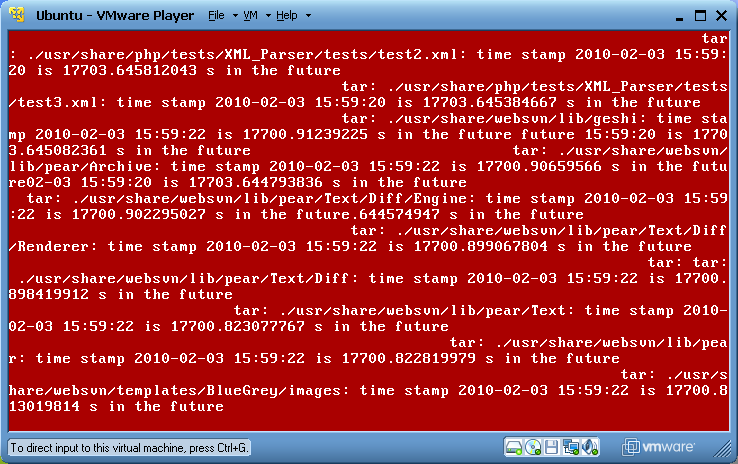
This is just a cosmetic issue when installing a patched iso, but I always get those "future timestamp" warnings. Is there a way to get rid of them? I tried making sure the dev environment's time is correct before running tklpatch. It is not a big issue, everything still installs fine, just annoying that those messages cover up the progress bar.
Has anyone had trouble starting daemons (mysql, apache2) in a tklpatch conf file? I can't find any information about the proper way to start it.
When I try:
/etc/init.d/mysql start
I get:
 * Starting MySQL database server mysqld
   ...fail!
This happens both by using that in the conf file, or if I chroot and type it manually. I had similar issues with apache2. Do we need to configure anything before starting the daemon? I was running this on a TKL Lamp iso.