The default root page of Tomcat on Apache is "TurnKey web control panel" located at /var/lib/tomcat8/webapps/cp (current tomcat version is 8).
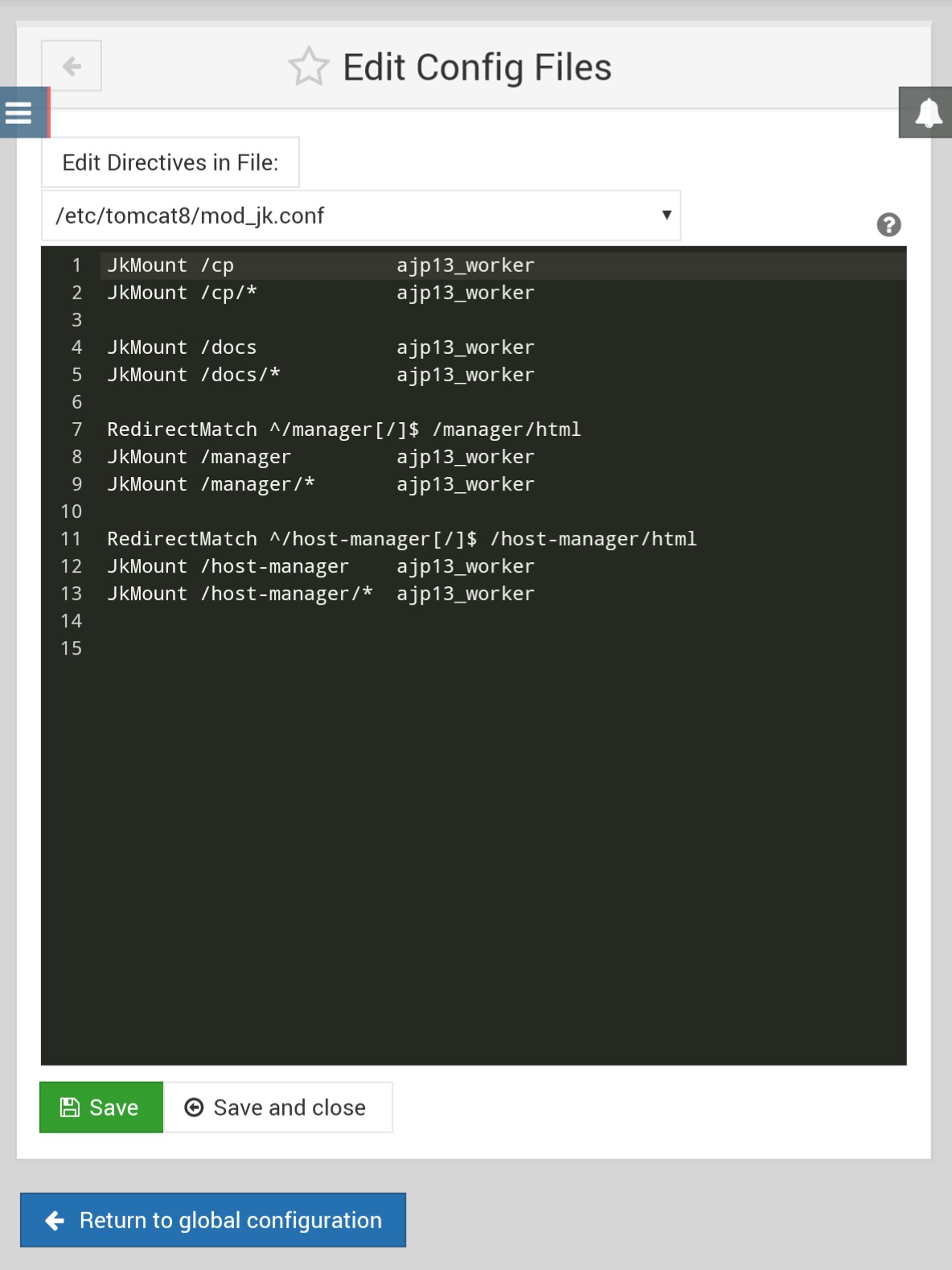
Release note and wiki saying that /etc/tomcat8/mod_jk.conf redirects the root web page to the control panel with this code: RedirectMatch ^/$ /cp.
But I cannot find this code in mod_jk.conf (see attached screenshot). What tweaks are you using to make root page redirect to control panel? This information is important when I need do change root page.
I am currently working in a small office environment. I have two groups I am utilizing staff and trainees to distinguish permissions.
The thing is, I want the staff group to be able to access the trainees home directories. Is there a way to do this in the GUI?
Every time I set permissions in the smb.conf file to show [homes] directories as browesable it just shows me one single share called homes and my user share instead of showing me all the user directories for [homes].
I deployed a default Lampstack 15.0 vmdk on my ESX server and start playing with it. For some reason I don't see my PHP file changes right away the most of the time. If I change some text, most of the time it takes a few minutes to be visible. It seems to be PHP related as HTML files changes are parsed right away.
Hello, I'm brand new to TKL and could use some direction to reduce my fumbling and confusion. Please help if you can :)
I'm looking to setup a home network for about 8 machines -- mostly Windows 7 and 10 with a linux mint laptop -- and a linux server to bind them all and in light reveal them. (this would be the role I hope TKL fills.)
Having a hell of a time trying to get LAMP and OpenDC up into AWS. I provisioned the OVA's into vCenter with no issue, and even set up the initial configuration. When I try to migrate using the AWS SMS Connector, during the conversion phase, I get the error
first of all I hope I'm posting in the right section.
I suddenly have an issue with my dokuwiki, more precisely with the media manager and site map. When I try to upload an image via the media manager or even check the already uploaded files via the media manager I receive an HTTP 500 error.
Checking the error.log from apache I found the following line with regard to the error: