While I'm not new to the world of design I am a complete newb when it comes to servers. I've been looking for in depth tutorials for setting up my own webserver but have managed to find anything that is concise with step by step details.
While trying to clone the server we are getting the ""Database connection Error"" where the live website is working fine.
root@wordpress www/wordpress# mysql -u wordpress -p
Enter password:
ERROR 2002 (HY000): Can't connect to local MySQL server through socket '/var/run/mysqld/mysqld.sock' (2)
Which we managed to fix by creating the socket files.
But facing the below issue now:
root@wordpress ~# mysql -u root -p
Enter password:
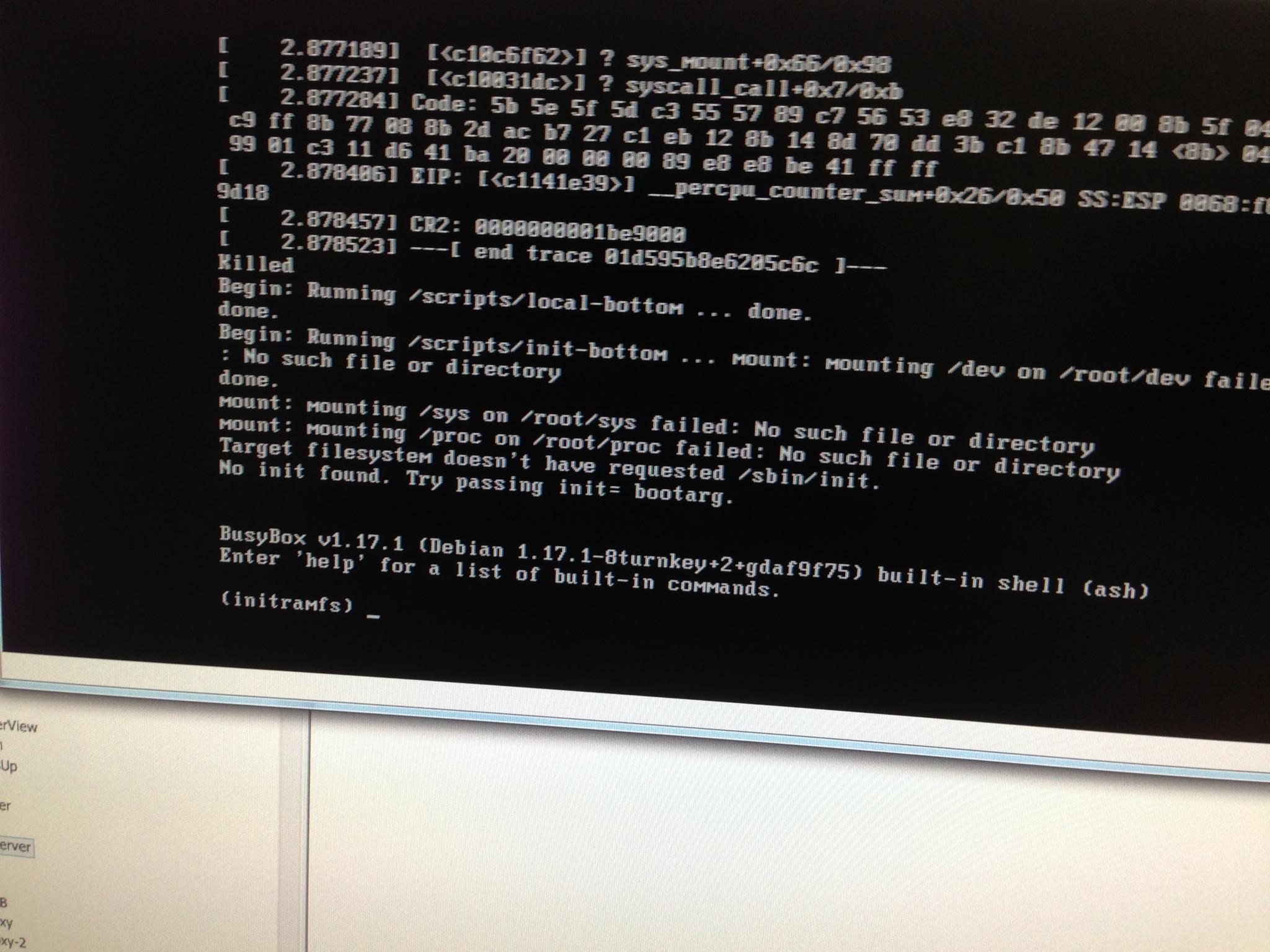
Our TKL LAMP VM lost power, and when the server booted up, it came up a initramfs prompt. We've tried to reboot it a couple times since then, and it's the same result. How can I bring it back up like it used to?
I have tried to add Webmin Modules to an existing TurnKey Linux VM. When I go through the add Module menu item it takes me to the current repository, which I is 1.63. My version is 1.59 and these modules do not work.
I have been able to add modules by downloading the entire 1.59 Build and tar and gzipping the required files and renaming it with the appropriate extension.
Are these files maintained somewhere?
Will the new 12.1 release be able to use the 1.63 Modules? I believe you are using 1.61.
I have been using the Wordress appliance for a few years with great success. I would now like to streamline my setup a bit. I currently lease a static IP from my ISP for each of my Wordpress sites and forward them to their respective appliance via a router. I would like to cut back on my IP leases to save some money.
Is there a step-by-step tutorial for how to pull a working copy of an appliance to a local computer running a VM? So much of this is new to me and I really need the detailed version. I've got vTiger running on Amazon and would like to bring a copy of it, data and configuration, onto my laptop.