I installed the OrangeHRM instance, I played with that, I installed some extra modules and everything worked great!!!
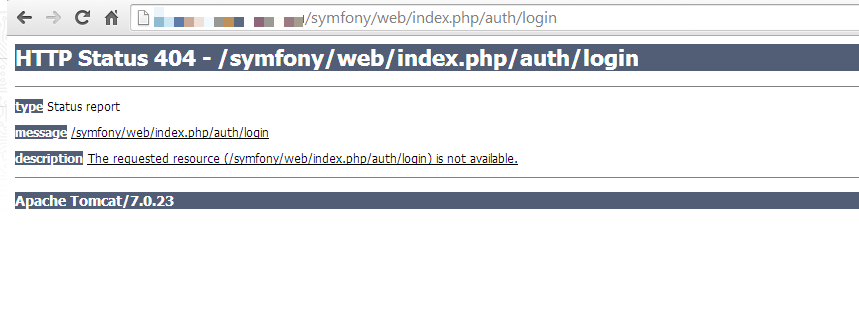
But I stopped the instance to avoid extra charges, and now, when I restarted the instance, and tried to login in orange I get this error: HTTP Status 404 - /symfony/web/index.php/auth/login
check the attached file
and when I try to go to the homepage, I geta blank page that says "Hello World"
Thanks for this helpful site - TKL rocks! Any plans to do a TKL Oxwall virtual appliance? IMO, OW seems more visually appealing/modern, and to have more deployable options/plugins OOTB than Elgg.
I'm going to migrate my OW deployment to a VPS provider that offers TKL LAMP template, so I'm testing OW with TKL LAMP on a vm on VirtualBox first. Ran into a couple of issues right away - had to install GD2 and enable rewrite module in order to proceed w/ the setup.
The issue I'm running into now is OW does not display the familiar UI and images, ie. it is text only.
Hi... I am totally new in dealing with linux environment...
Ive installed Linux Turnkey File Server to use as a server in my small enterprise.
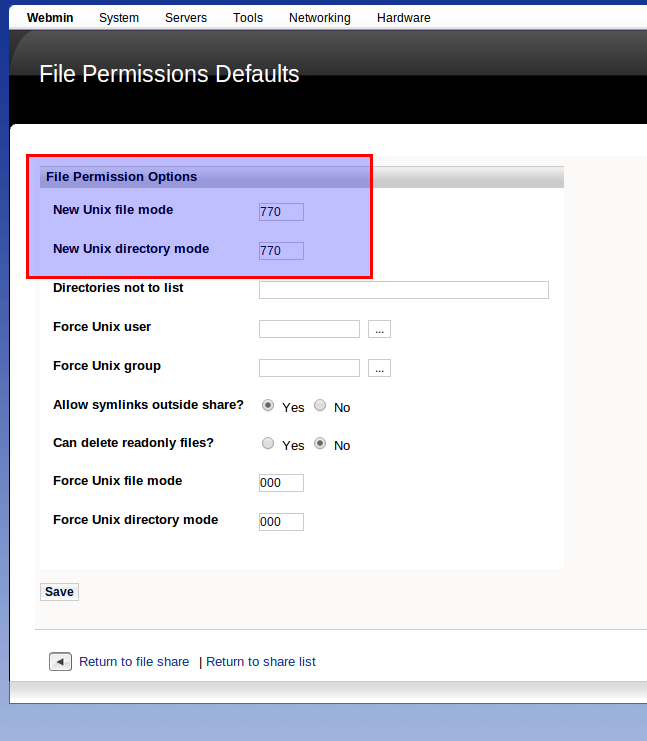
However, I am facing an issue related to user permission. When a "normal" user adds a NEW FOLDER, no one gotta ACCESS to it, except the root (of course) and the one who set it up.
Check out the attached picture... Ive done it, but I hasnt work out.
I would like to use the Zurmo appliance offered by Turnkey as it offeres the most complete set of management tools. However the process for updating Zurmo can be taxing if you are coming from a very old version. The Turnkey Zurmo version is 1.5 and they are now at 2.8. It would take several upgrads to bring Zurmo current. Can I request an update of the Zurmo appliance to a newer release?
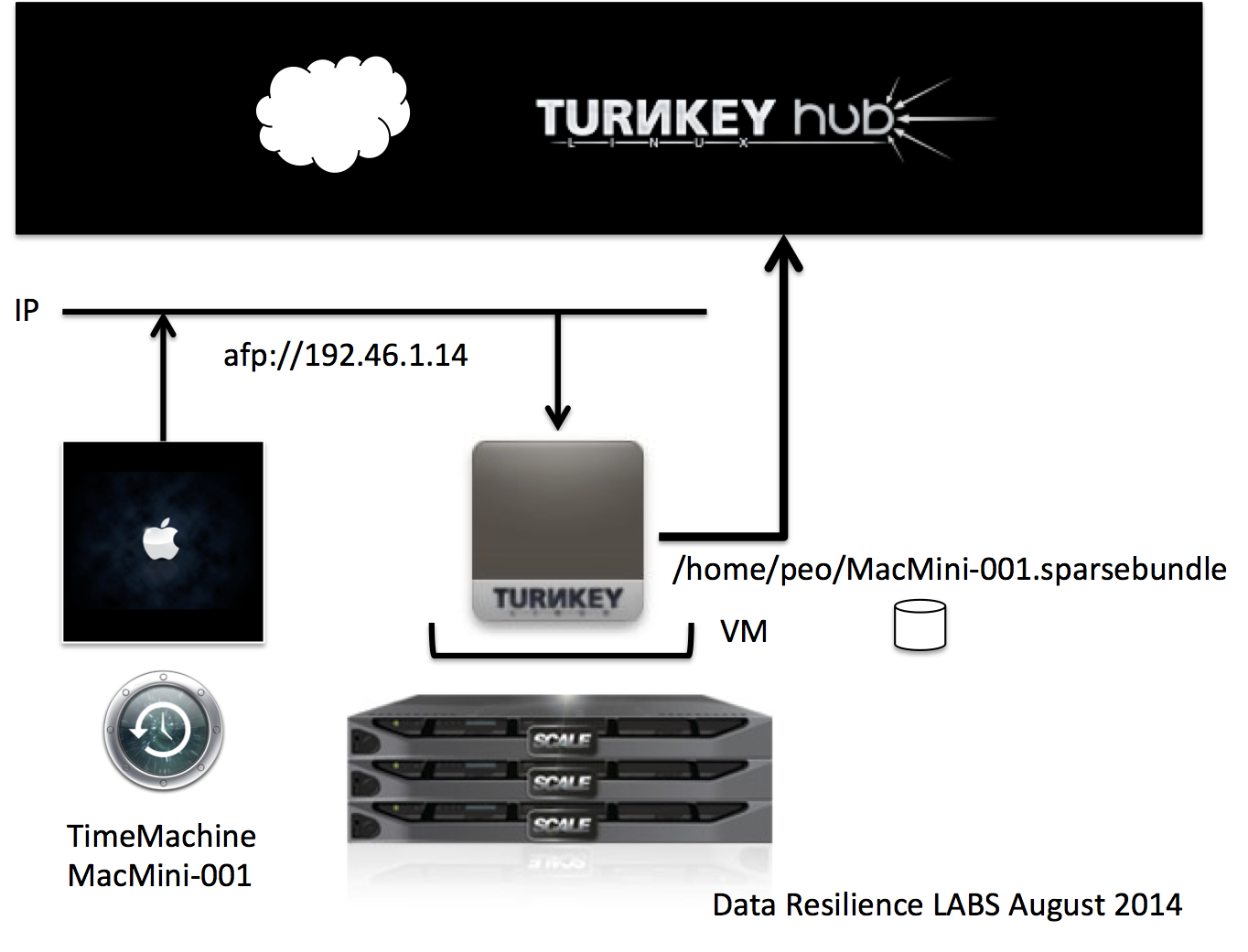
I have a modified TKL Core appliance so that it is now accepting the afp protocol and in addition to this is recognized by my OSX client as a Time Capsule target device. This is really cool as it allows me to have a virtual Time Capsule that in turn can be disaster protected to the TurnKey HUB using tklbam. Of course this Time Capsule is much better than the physical one as it offers a much higher level of resilience due to the Scale infrastructure where it is running, in my case.
I have tried various syntax to allow me to create a link to an external document but none work (they just try to upload a file to the WIKI) using chrome and IE 10
[[file://///Server_Name/share/filename.txt/]]
{{unc | \\Server_Name\share\filename.txt | The resource}}
I'm trying to update TKLamp to get the php-snmp modules, among other things. This is a VM running in Workstation 10, with a bridge network and http/ftp/http_proxy set to my local proxy. This is from the CLI. I've also setup webmin with the proxies. Smae problem
doing an apt-get update, I get the following message:
E: GPG error: http://security.debian.org wheezy/updates Release: The following signatures were invalid: NODATA 1 NODATA 2
My /etc/apt/sources.list.d/security.sources.list looks like: